












Create detailed briefs with your LLM or ours
The prompt system for cinematic work
- Briefs — Create detailed briefs with your LLM or ours
- Scenes & Shots — Organize prompts by scene and shot
- Studio — Dial in prompts with params, styles, and references
- Models — Generate media with our models or your fav tools
- Library — Organize generations and refs for quick access
- Workspace — Flow using a node-based canvas for rapid iteration
- Skills — Access Claude in Lorvara with our skills or yours
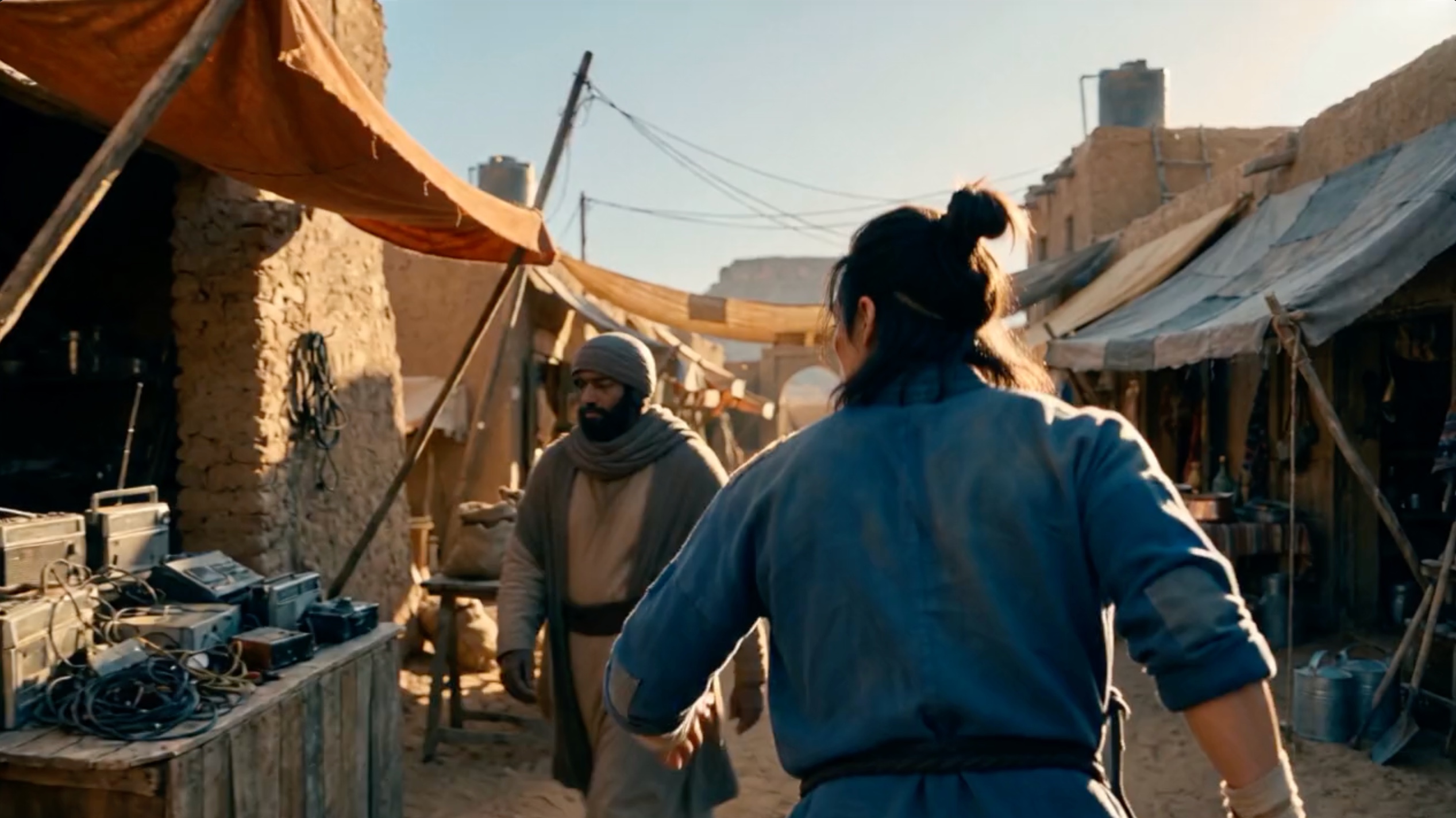
Lorvara supports LLM-based workflows used by top creators.
Lorvara reads your Briefs and queues up all necessary prompts.
Generative models work best when steered correctly. Top creators now routinely use LLM workflows to manage important data in context, and to quickly iterate on prompts for frontier MediaGen models.
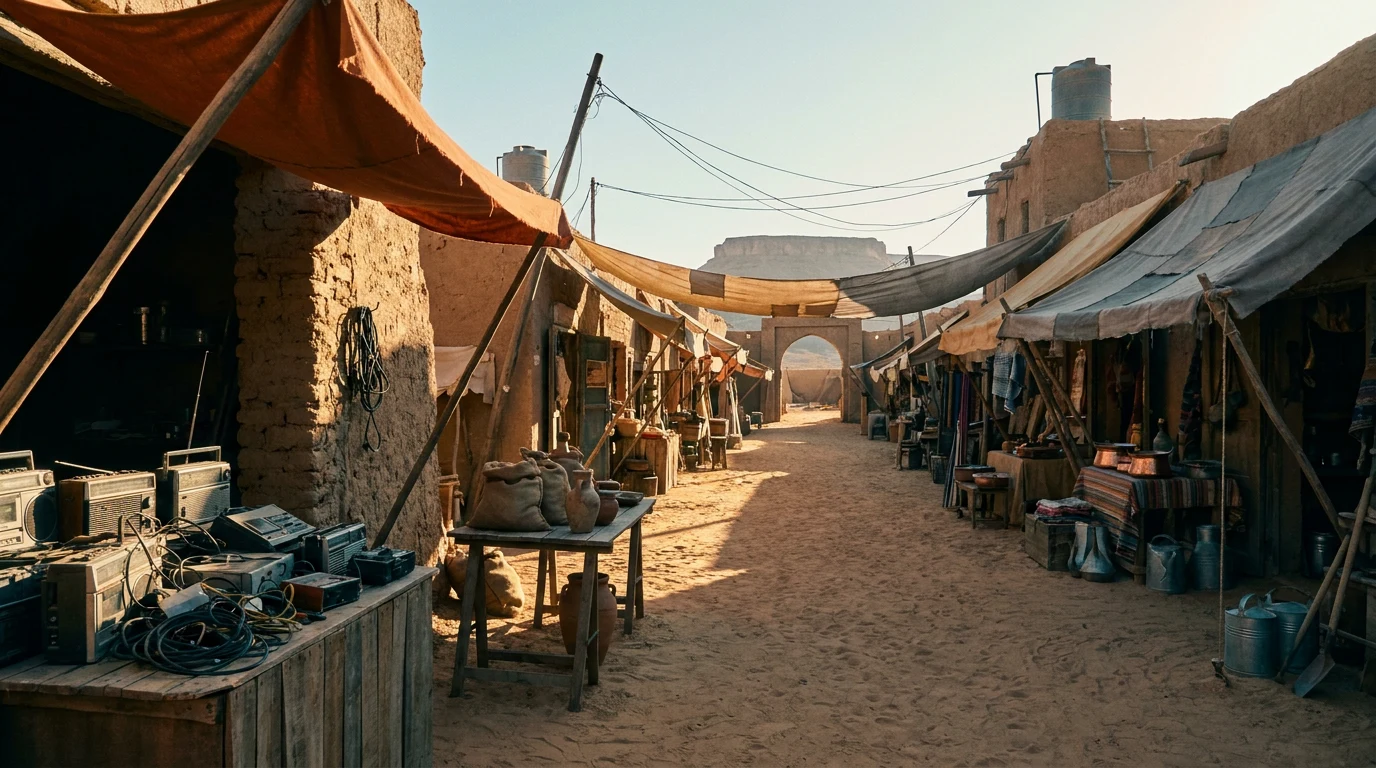
Lorvara sits at the Human/LLM interface with an intuitive system that flows.
Import or generate full briefs, or keep it simple. Set up a few scenes and shots, then enter the Studio to fine-tune each prompt. Lorvara’s Prompt Agent understands your inputs for environments, cast, products, props and more.
Lorvara’s Prompt Agent. We trained Claude to compose prompts through skills guiding composition, complex lighting, camera controls, reference media and our own styles and skills. Or you can use your LLM to tweak prompts during your iteration/refinement process.
Have your own skill? Import and attach it to the agent. The resulting Key Prompts™ deliver a natural language prompt that can be quickly iterated on during testing, and locked in for final generations.
Using your own models? Select your model and copy/paste the Key Prompt from either the Studio or Library. Yes, it’s an extra step, but our inputs save you time and credits in the long run. All prompts created in Lorvara are portable in JSON format.
Briefs
Create a brief with your LLM or Lorvara’s Brief Agent. Select the elements you need from Intent, Cast, Props, Location, Glossary and Look.
Create a brief by hand, with your LLM, or Lorvara’s Brief Agent.
Scenes & Shots
Create scenes and shot lists within a project and Lorvara creates prompts for each.
Prompts created from scenes and shot lists get named by Scene/Shot.
Studio
Enter the studio to select your mode, enter a base prompt, and review the Key Prompt. Lorvara’s basic workflow. Great for generating one offs.
Use the studio to create prompts & generate media.
Models
Select from a wide range of models for Images, Videos, Voice, Music and Sound Effects (SFX).
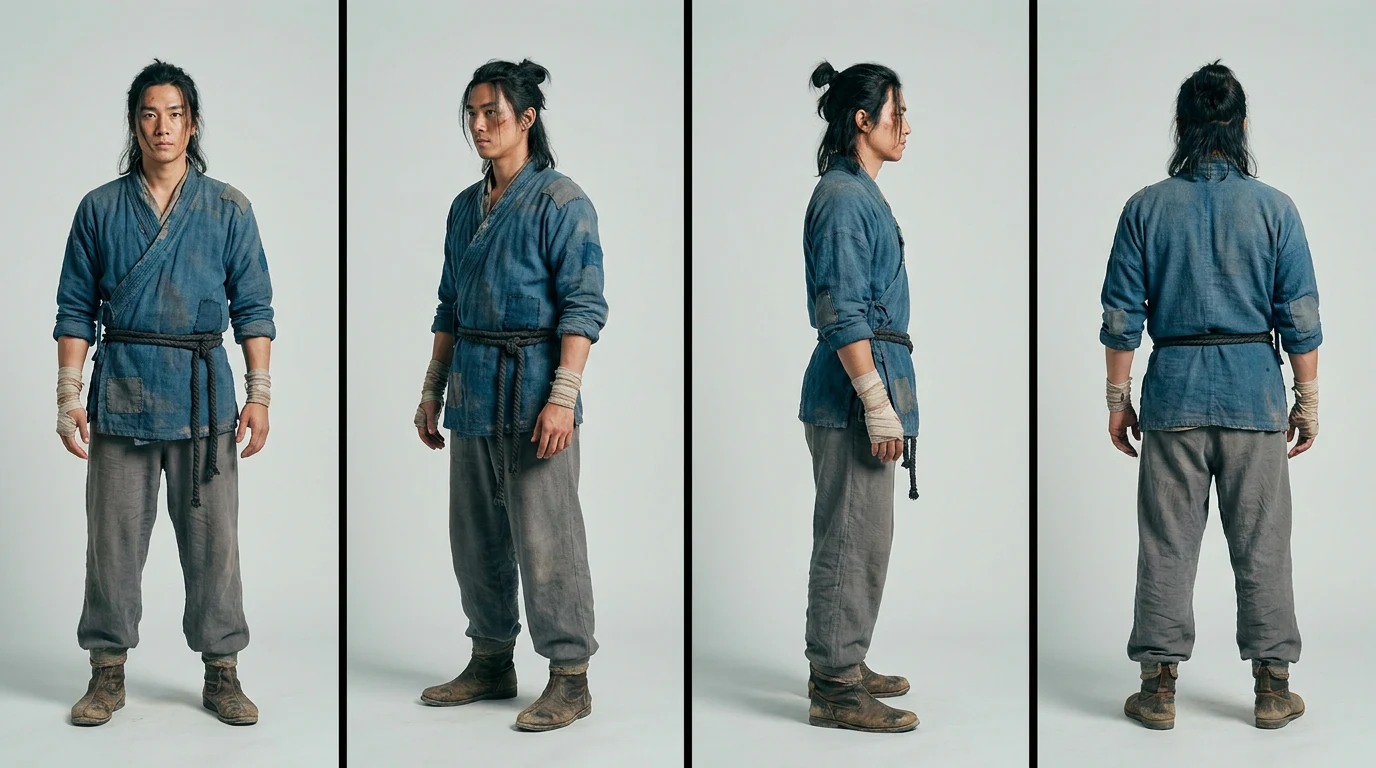
In this example, four images are generated using Nano Banana Pro.
Library
View the Library for each prompt for Key Prompts, generated media and uploaded media used for refs.
The Library is where your final Key Prompts and generated media live.
Workspace
The Workspace enables a node-based workflow for rapid sharing of refs between prompts and quick test generations from any model.
Use the Workspace for node-based iterations.
Better generations with
Key Prompts & Styles
Key Prompts are structured prompts built from the base description, parameters, styles, camera controls and reference media links combined.
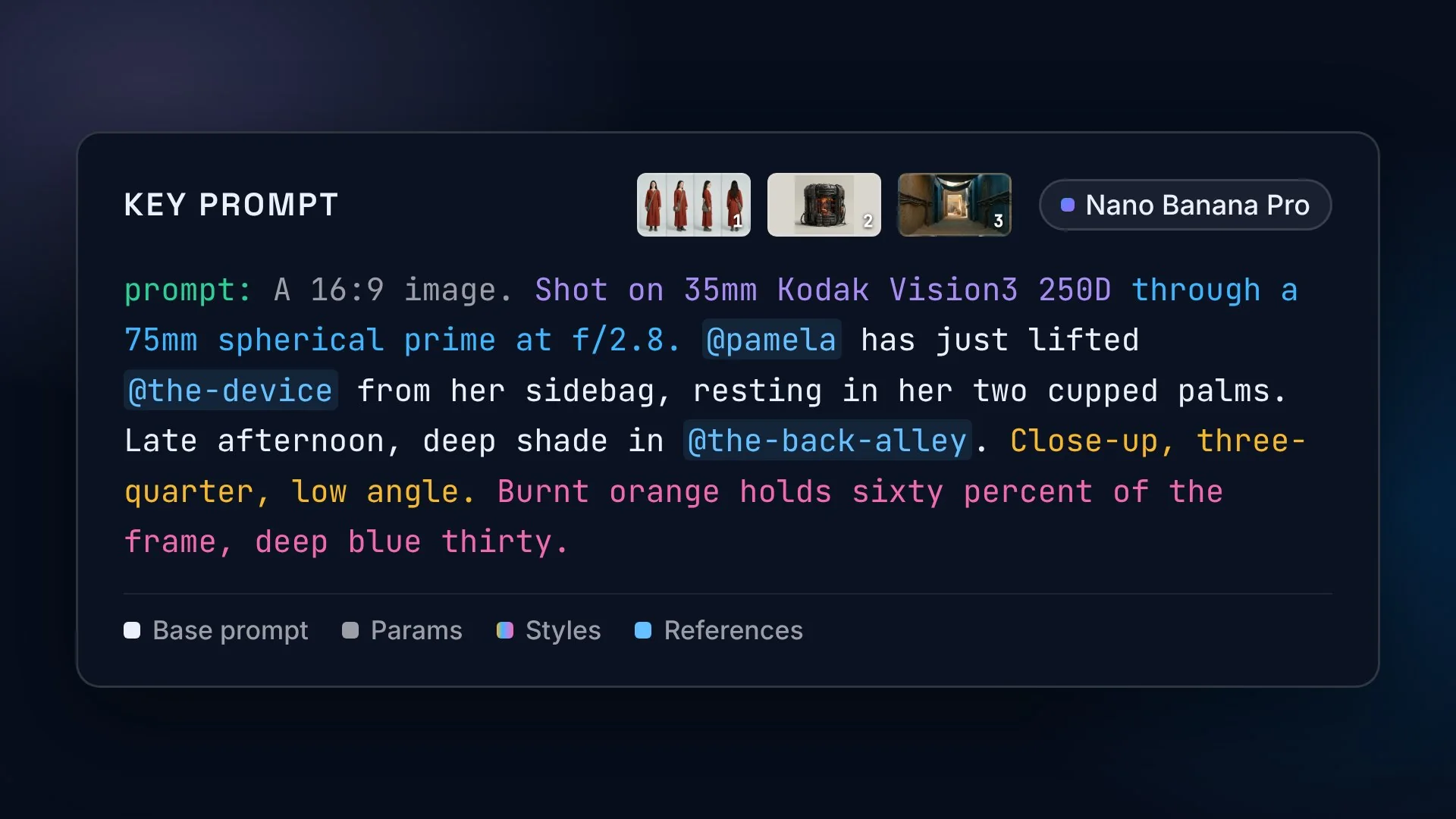
A proven method to steer the latest MediaGen models
Precision prompting creates more accurate media generations. Combining base prompts, parameters, styles and references encapsulates all the data needed for any mode of generation.
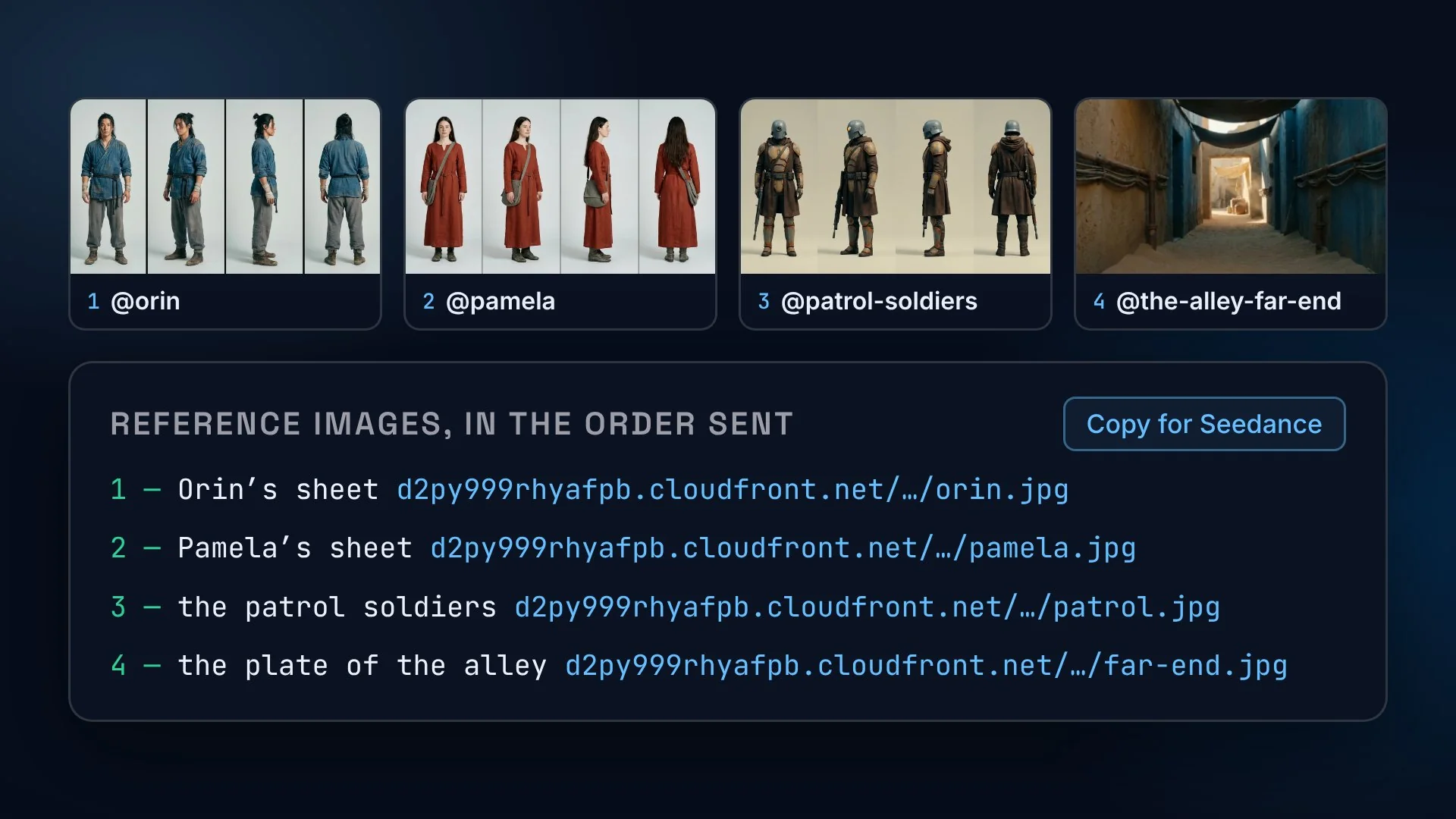
Key Prompts embed reference URLs
Lorvara uses Library references stored on AWS to attach and label them correctly in prompts with specific URLs that some models can read directly.
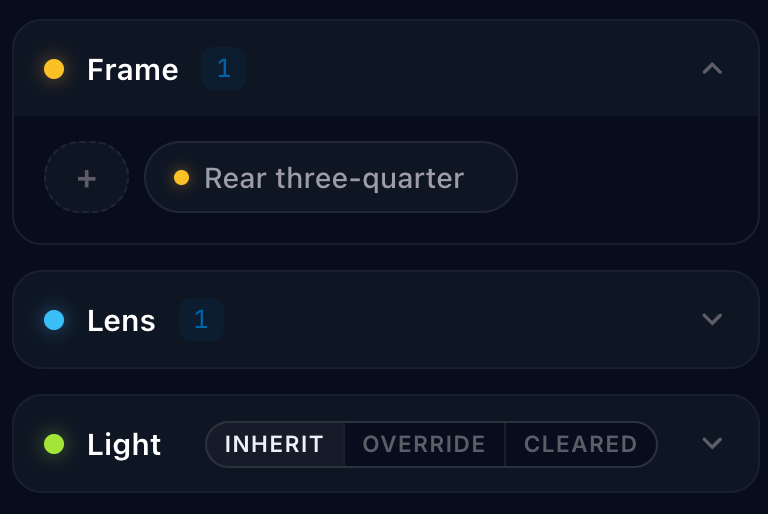
Refining the look.
Lorvara styles can be combined with base prompts for specific direction around framing, lens, lighting, emulsion and colors to help dial in the look you’re after. The Prompt Agent can recommend and add styles for you.
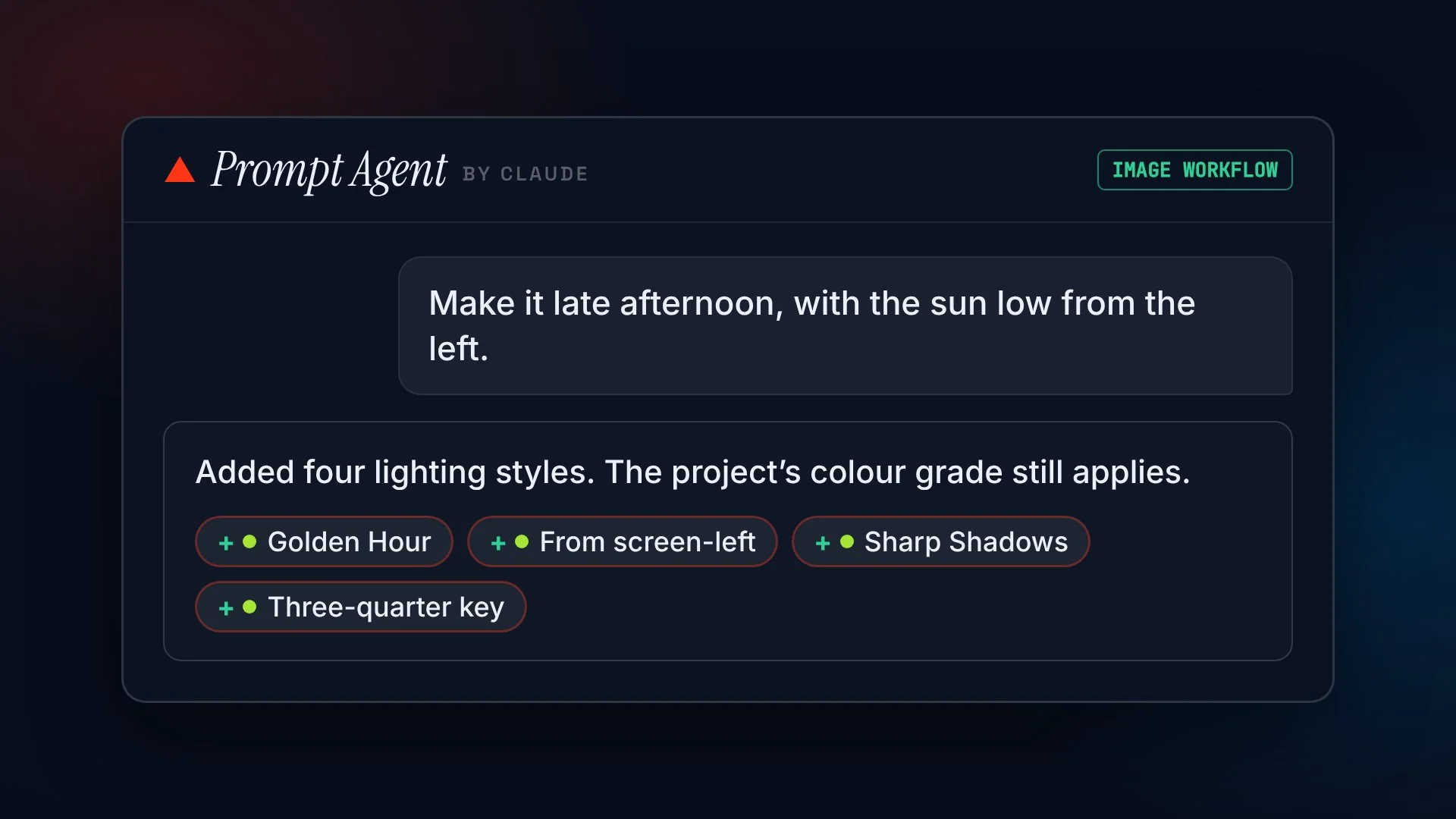
Lorvara’s Prompt Agent has access to multiple categories of built-in styles and adds them to your prompt based on your input. The agent can access project-wide settings you made or override them per prompt.
- Frame:Low angle
- Lens:Shallow DOF
- Light:Backlight
- Color:Log / flat
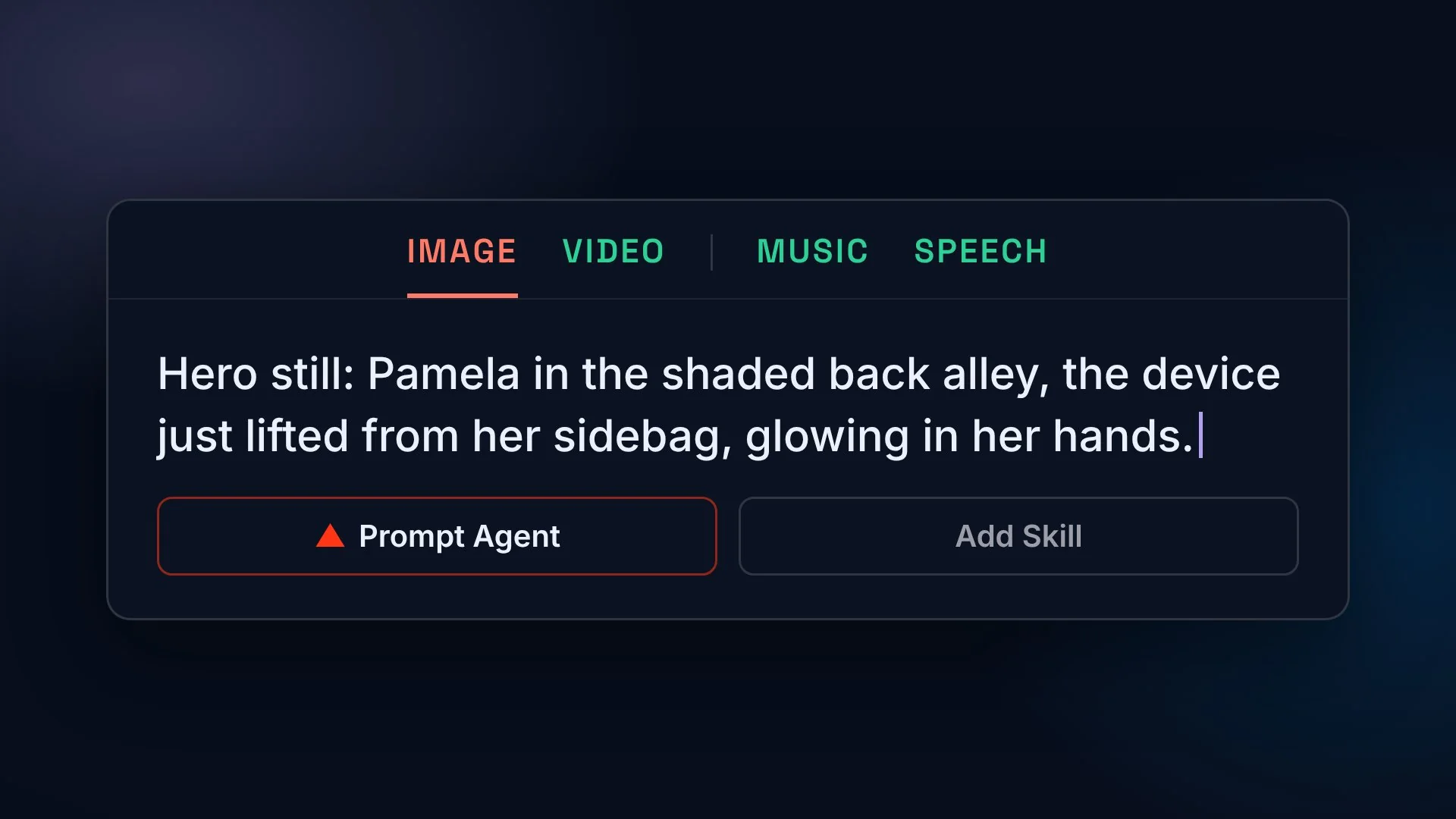
Start with a base description…
The easy starting point is to jump into the Studio and describe your image or sound. From this base prompt, Lorvara’s Prompt Agent helps you create a detailed Key Prompt with Styles and more.
Take the director’s chair.
Briefs define the look, scenes and shots needed.
One record holds your people, your places, your props, your look and how the names are said. Attach it to a project and every prompt inherits it: Pamela’s rust-red tunic, the bright doorway at the end of the alley, the device’s glowing core, the low desert sun.
Cast
PAMELA — the courier@pamela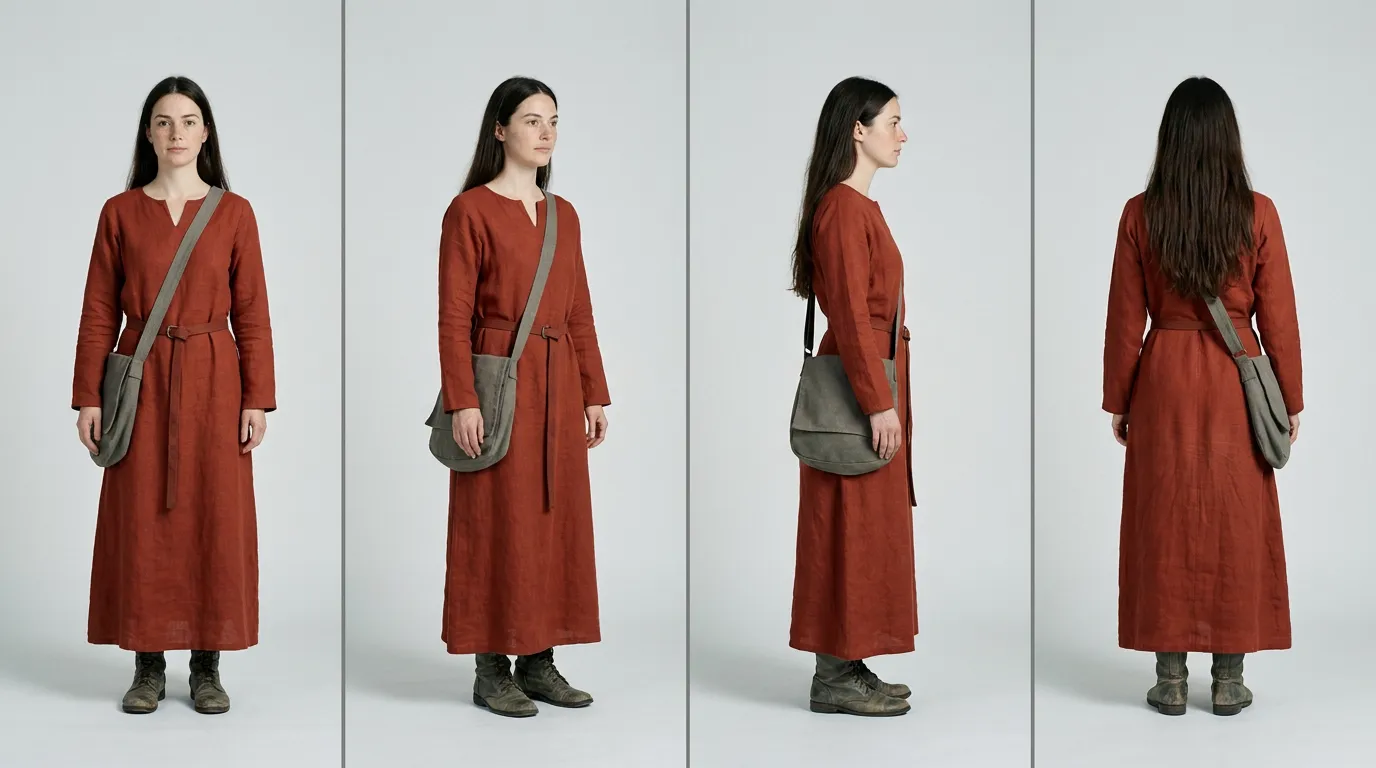
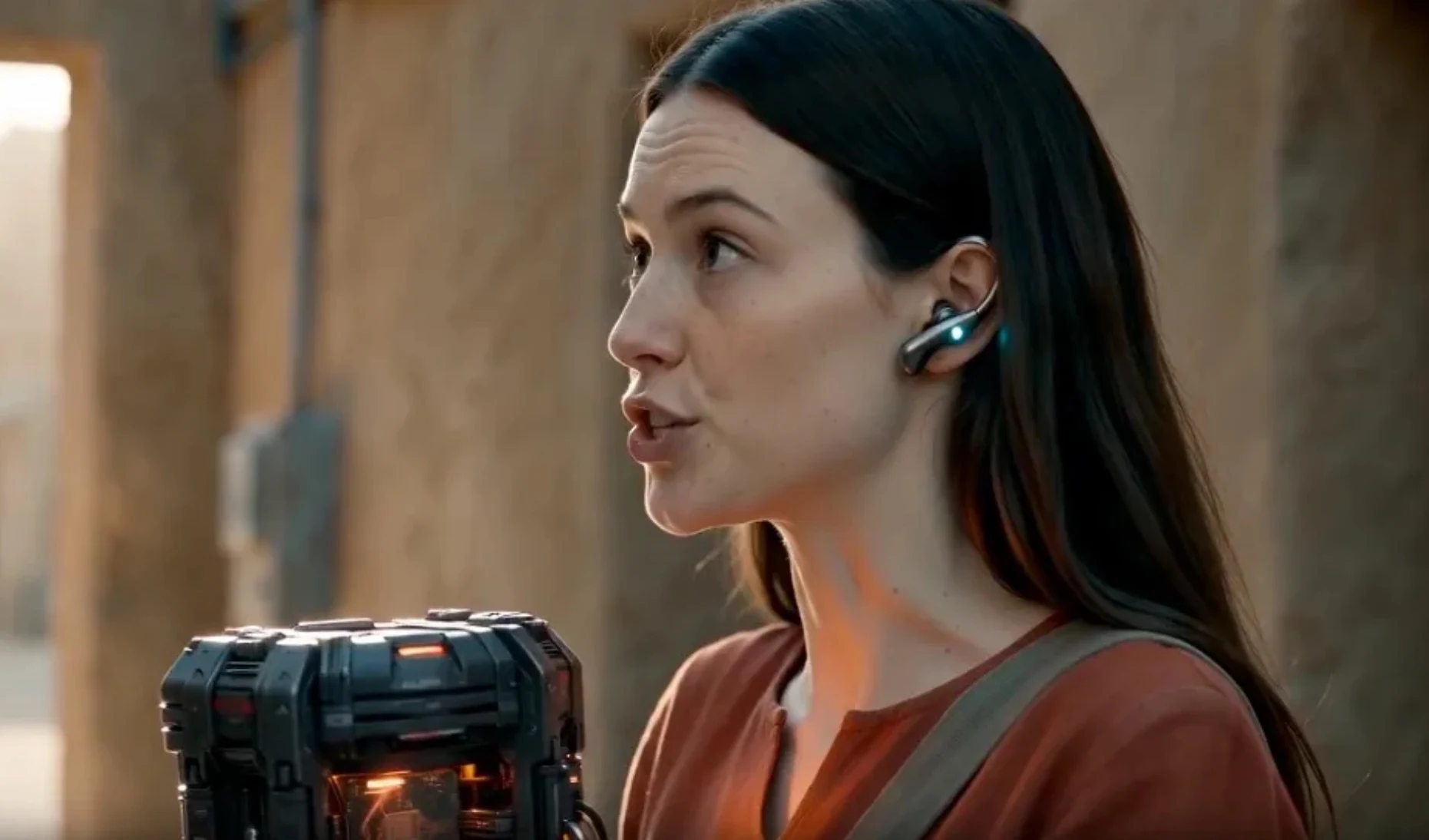
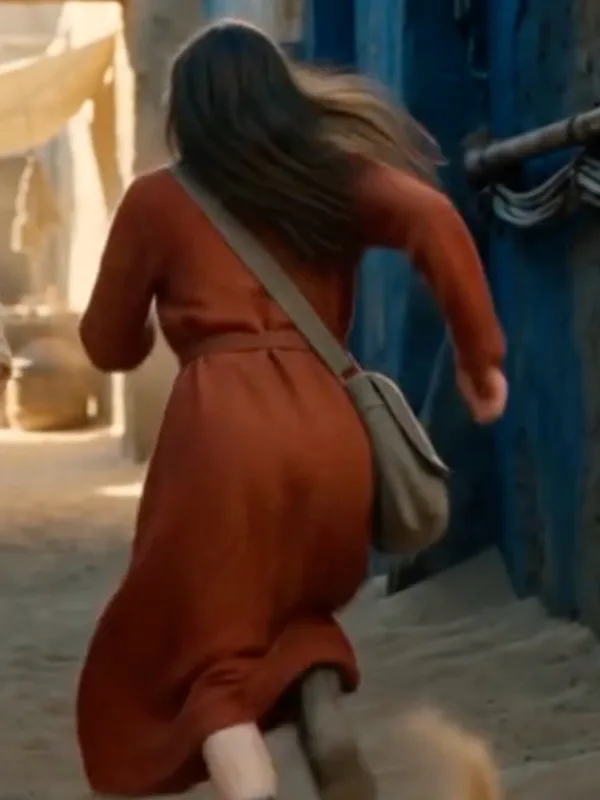
A turnaround sheet beside up to five named views (front, three-quarter, face, profile, back), locked for each state. Voice notes — pace, register — ride with her. A shot that names @pamela gets her; Orin’s blue tunic never leaks in.
Location plates
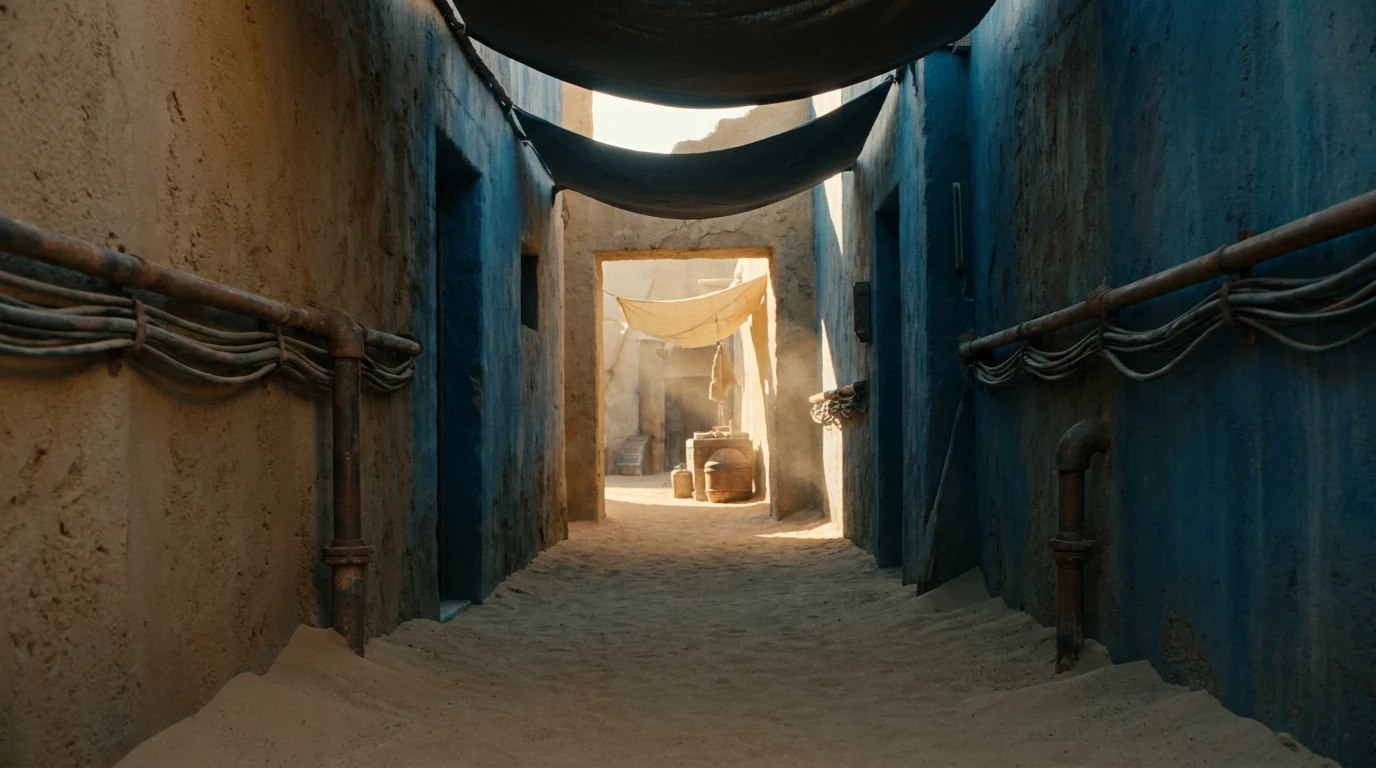
An anchor in frame — the bright doorway, the pale awning hanging in it — the camera positions the place allows, up to two plates. Blocking is written against the anchor.
Props & products
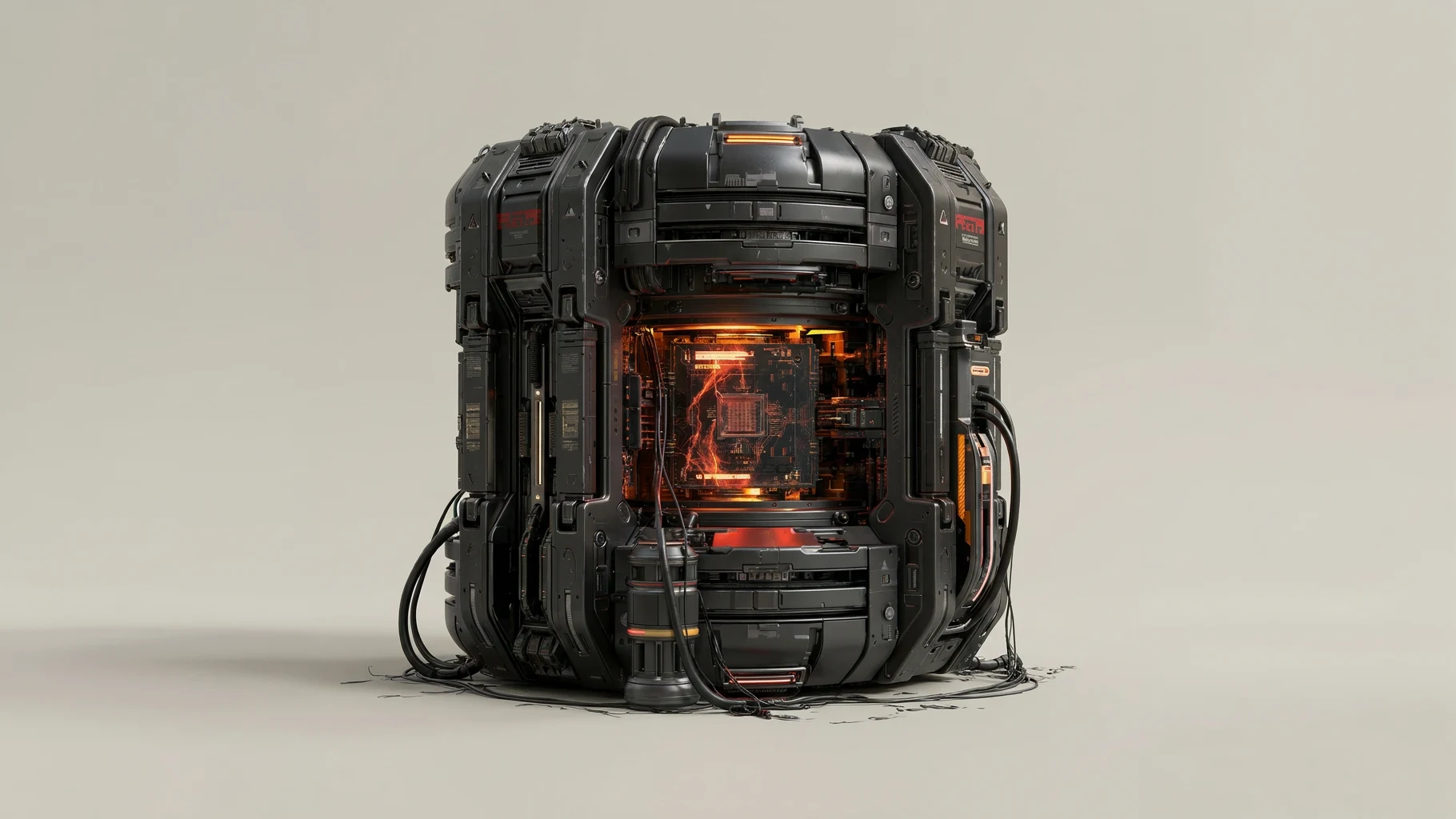
Named objects with their own continuity — the device, the earpiece — kept apart from costume and set dressing. The device stays the size of a paperback in every shot.
Look
Frame, lens, light, emulsion, color, format. Hard low sun, ochre highlights, cool blue shade, dust in the air: the grade every shot inherits; any shot can override.
Glossary & intent
How names are said — PAM-eh-luh, OR-in. Who this is for and where it runs, so the agent stops asking.
Safe for Commercial Use
Every model card shows its commercial-use status and who serves it, before you spend a credit. The prompts are yours; what you generate falls under that model’s own terms.
Registered Facial References
A realistic face is registered before it’s used with a Seedance video model. You confirm you hold the rights, every image is checked to be a clear adult, and a face made in Lorvara is proven by its generation history. One made elsewhere registers once you declare it AI-generated.
One paste becomes a queue. One brief feeds every shot.
Paste a treatment and it lands as an editable shot list, grouped by scene. Guesses stay marked until you touch them, and nothing composes while it’s still a draft. Confirm it, and every shot becomes a Key Prompt, ready to refine in the Studio or the Workspace.
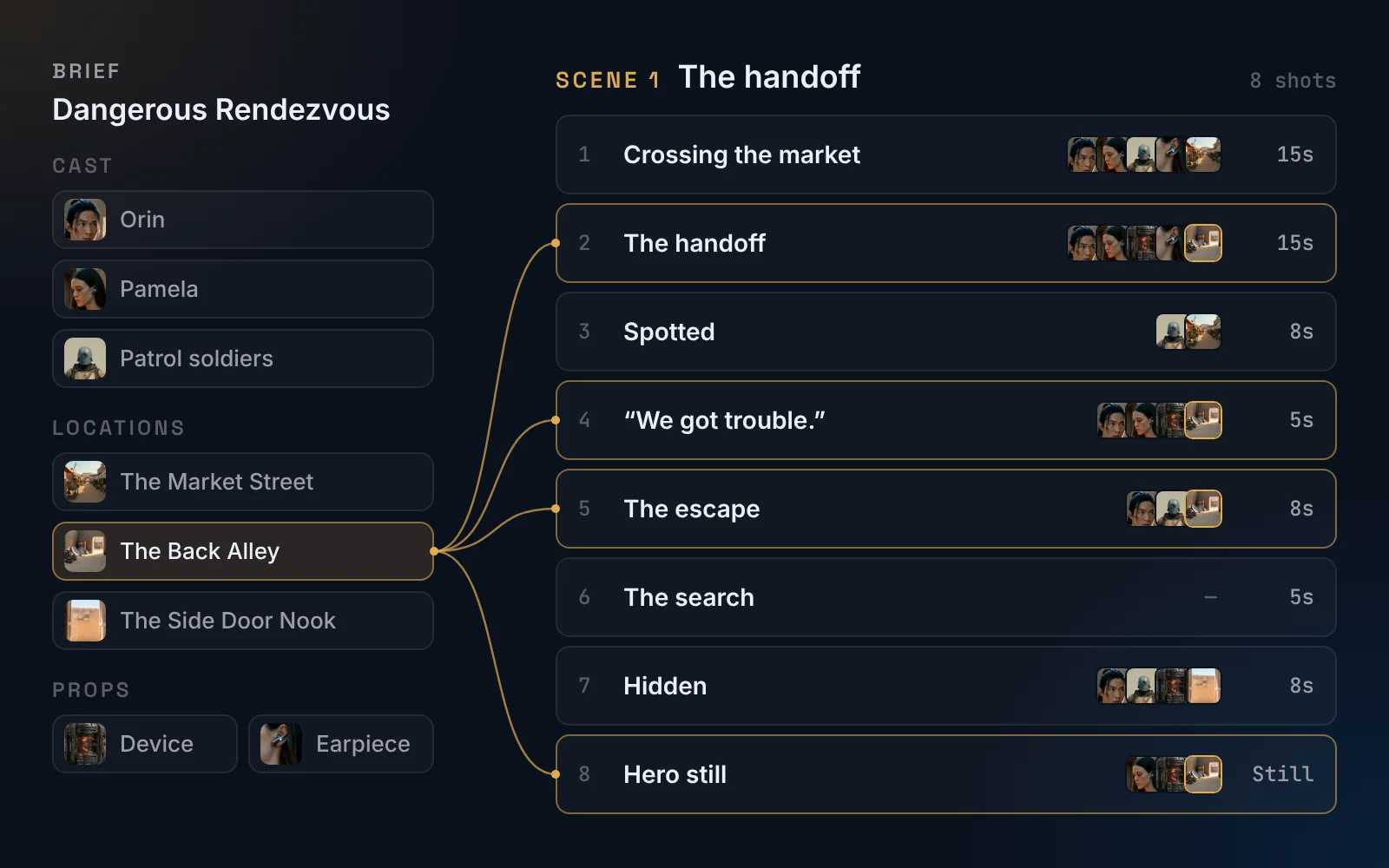
Paste once. Every shot knows its references.
The brief defines your cast, locations and props, and each shot is parsed with the ones it needs. Add their images to the brief and they follow every shot that uses them. The Back Alley feeds four of the eight.
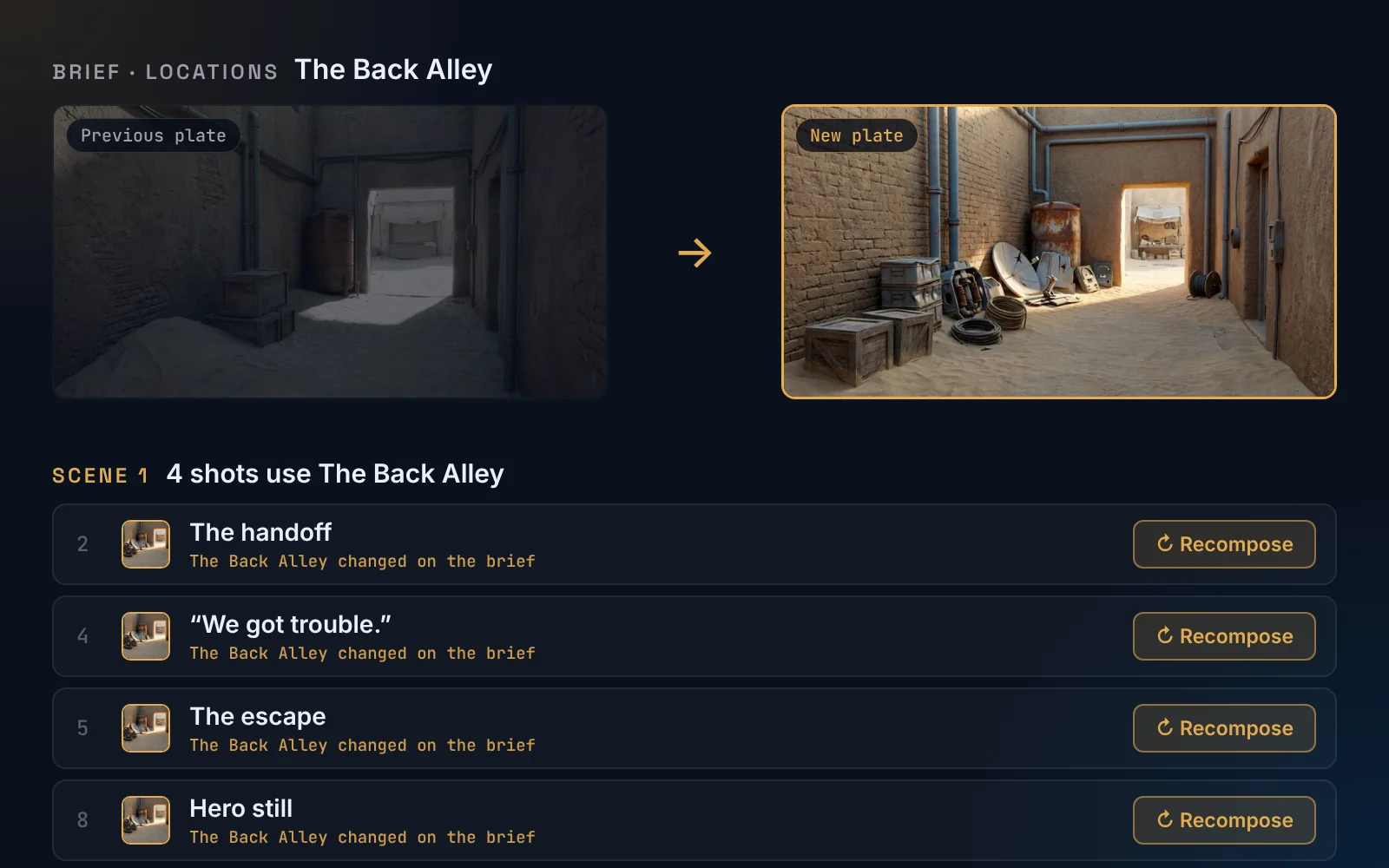
Change a reference once. Recompose only the shots that use it.
Add or swap an image on the brief, and every shot that uses it is flagged. Recompose those, and they’re ready to generate in the Studio.
A camera crew, and so much more
Frame, Lens, Light, Emulsion and Color, plus the camera itself, how it moves, and the format it delivers in. A selection is not a keyword bolted onto your prompt; it is a brief the agent writes out as physical cause and effect, because today’s models follow instructions, not tags.
Orin sits chest-up in the right two-thirds, three-quarter to the lens, with the open side door a tall bright slot at frame-left that his eyes keep cutting to.
A fifty wide open: his face and hands stay sharp, and the lane beyond the doorway falls away to soft, pale shapes.
Low afternoon sun hits the lane hard from frame-left; inside, the nook gets only soft bounce off the doorframe, and once the device comes out, its orange core lights his chin from below.
Fine daylight grain, a faint warm halation only around the sunlit doorframe and the device’s core, and highlights that roll off rather than clip.
Sun-baked sand holds most of the frame, in the mud-brick and the bright lane. Deep blue takes the shade of the nook and his tunic. One burnt-orange accent is the device’s core and nothing else.
A large-format digital body: the blown-out doorway holds its detail, skin keeps its gradation in deep shade, and the lane behind him reads as depth rather than blur.
The camera eases a few inches toward his face as he exhales, then stops and holds on the smile for the last two seconds.
Twenty-four frames a second behind a one-eighty shutter, framed sixteen by nine: the doorway on the left third, his face on the right.
Pick a Skill to guide the agent. Or import your own.
A Skill is how a format actually fails, written down — the composition rules, the constraints, the questions worth asking, the mistakes this kind of shot makes. Pick one and the Prompt Agent works to it.
Identity that survives regeneration. Everything else comes second.
Eighteen built in
Product, social video, spokesperson, explainer, cinematic, location plates, character sheets, video frames — each carrying its own constraints and its own way of going wrong.
Write your own
Six fields and a wizard. Your house style stops living in one person’s head and applies to every prompt routed through it.
Import a Claude Skill
Paste an Anthropic SKILL.md. Lorvara maps it onto the same six fields and tells you which parts it could not carry, rather than dropping them quietly.
Generate in Lorvara
or in the tools you love.
Thirty-four image and video models in-app. Thirteen destinations out. Either way the prompt is rewritten for where it is going. Its aspect syntax, its character cap, its position on negatives. We read the platform docs so you do not have to. Generate here, or copy/paste ready-to-use prompts. JSON downloads will also be available soon.
Nano Banana reads aspect ratio from the prompt only as a hint. If it comes back square, set 16:9 in the app — the prompt cannot force it.
Firefly has no negative field, so your “no other people in the alley” was rewritten as “an empty alley” before the copy. Aspect ratio is set in the app, not in the prompt.
Gemini app · Write exclusions as positives — "empty street", not "no cars".kling.ai · Kling’s image guide: a clear prompt can name the subject, setting, action, composition, camera angle, lighting, color, style and mood, in plain text. Aspect ratio is chosen in the app.midjourney.com and Discord · Lorvara writes Midjourney’s own parameters, gated by the version you pick. Reference images go in as CloudFront URLs Midjourney can read, so the same copy & paste works in Discord or the web app.ChatGPT · Write exclusions as positives — "empty street", not "no cars". Aspect ratio in the prompt text is officially supported.BFL Playground and hosts · BFL’s order: image type, then subject, setting, light, framing. No negative field, so exclusions are written as positives. Aspect ratio is set outside the prompt.Dreamina · Dreamina’s guide: a clear subject, a defined action, the surrounding environment and a visual style, in plain description. Aspect ratio and resolution are set in the app.firefly.adobe.com, Photoshop · Write exclusions as positives — "empty street", not "no cars".Fast access to all assets.
Organized by prompt and media types.
- Copy Key Prompts for popular models
- At-a-glance reference image additions
- Media library organized by media type
- Upload reference media supporting bulk uploads
- Fast media access via AWS CloudFront
- Copy low-res URLs · download high-res files
- Mood board mode for images and videos
Claude agents ask before they act.
Every one of them proposes. Nothing is generated, saved or spent until you say so.
Describe the shot. It asks what matters.
Type a line and attach a reference if you have one. It asks what has to hold from shot to shot and where it runs, then drafts a Key Prompt for the model you picked — base description, params, styles and refs in one record you can edit.
Bring a brief, or build one block by block.
Paste what you wrote in ChatGPT or Claude and it parses Intent, Cast, Props, Location, Glossary and Look into records. Or start empty and answer as it goes. Every block is yours to edit and confirm before anything downstream reads it.
Five guided steps to a skill of your own.
Import a SKILL.md or paste your craft as text and it drafts the routing, reads your reference images and fills the fields. Skills ship built in; the ones you make sit beside them and attach to any prompt.
Everyone on the same brief.
Every credit accounted for.
Bring the team into a project and they read the same brief, the same scenes and shots, the same Key Prompts. Fund one balance, and see exactly what it went on, by person and by media type.
The brief is not re-explained.
Members open the project and find the cast, the locations, the props, the look and the glossary already there. Scenes and shots are the same list for everyone, so everyone composes against the brief that was confirmed.
The team spends from one balance.
The plan funds it monthly, you can buy credit packs straight to it, and it can top itself up before it runs dry. Nothing is transferred, nothing sits in anyone’s personal wallet, and nothing is stranded when someone leaves.
You can see where it went.
Every generation on a team prompt is logged to the person who ran it, by media type, the moment it runs. This view and the Usage page show the same figures.
Models move fast. So do we.
A system built on LLMs and generative models has to move as quickly as they do. Lorvara sits at that intersection — the person with the idea, the LLM that organises the production, and the models that render it — and it is built for three different people at the same table.
The Creator needs to stop retyping craft.
You already know how the shot should be lit and framed. What costs you the afternoon is saying it again, in each model’s dialect, forty times. Describe the work once; the agent writes the prompt for whichever model you are pointed at. When a better model lands next month, your description still works — it is the dialect that changes, not your craft.
The Director needs the world to hold.
A piece is scenes and shots that have to agree with each other about a face, a product, a place. Write that world down once as a brief and every prompt after it reads from there, so a correction reaches the work instead of your memory. Different shots, one coherent world — which is a harder thing than repetition and the thing the work is actually judged on.
The Producer needs to see the money and ship the files.
Generation spends real money, and a bill with one line on it is not an answer. See exactly what it went on, by person and by media type. Then take the work out: every generation downloads at full resolution, so the finished media goes straight into Resolve, Premiere or Final Cut. Lorvara is a step in your pipeline, not a place your work has to live.
Plans for every seat.
Three plans are available to match your needs. Regardless of the tier, all users receive unlimited projects and prompts. Briefs, scenes, shots and agents are available to all. Need team collaboration? Move up to the Director or Producer seat.
or $444.60/year — credits released monthly
Save 5% with annual billing
or $1,653.90/year — credits released monthly
Save 7% with annual billing
or $4,309.20/year — credits released monthly
Save 9% with annual billing
Credit packs from $39.99 on any plan.
Start with one shot. Evaluate the results today.
Type it here, sign up, and it is waiting in the Studio
Experienced creators and KPM members, check out the Quick Start in the Lorvara docs.